

01
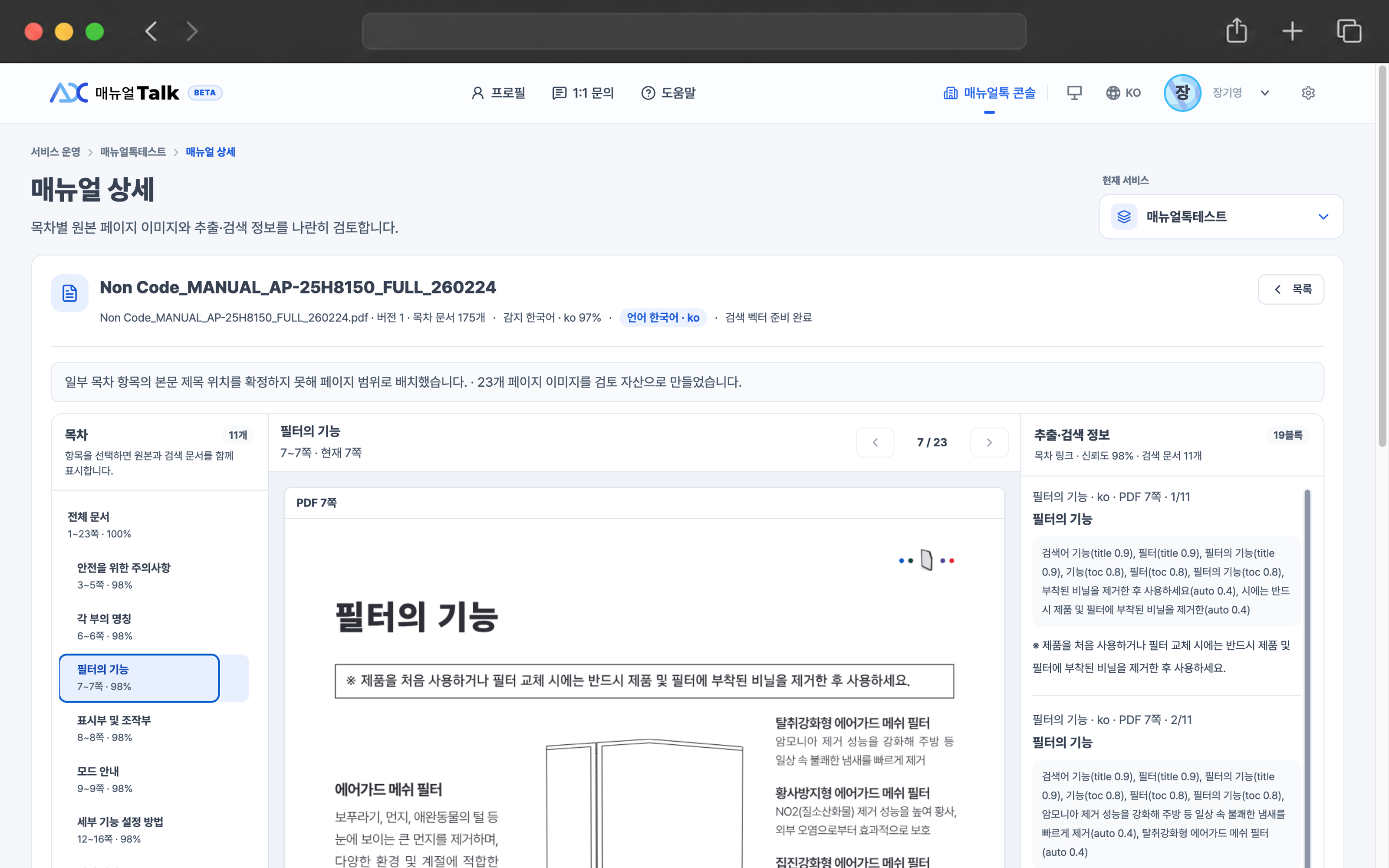
Structure the table of contents and body
Create searchable documents while preserving titles and TOC paths, then build keywords and indexes.
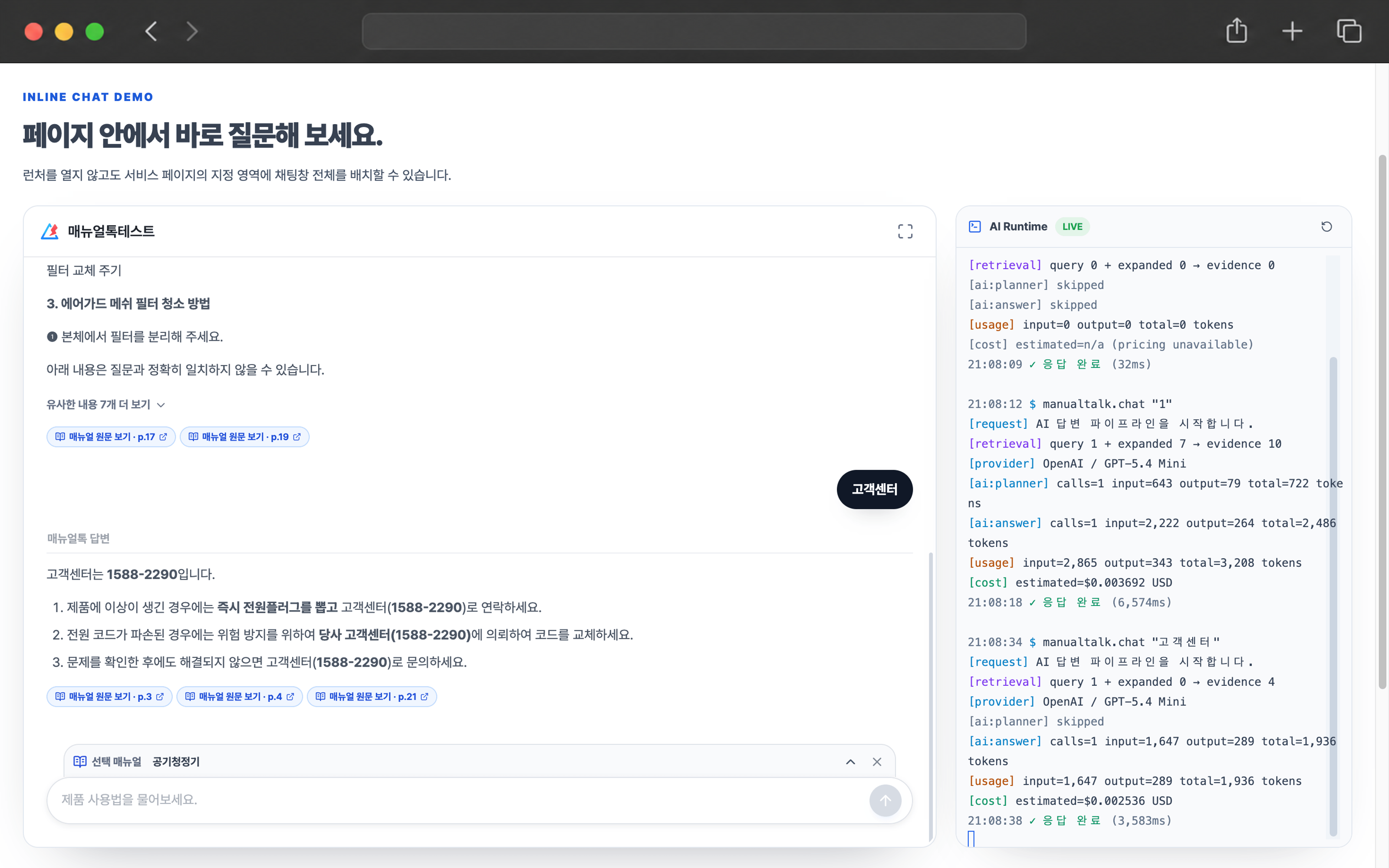
Find the right information in your registered product manuals and answer with supporting evidence.
Manage manuals, response rules, and your site widget in one place.
ManualTalk does more than store files. It understands manual structure, creates searchable documents, and finds the evidence closest to each question.
Create searchable documents while preserving titles and TOC paths, then build keywords and indexes.
Select the most relevant passages from published manuals and send only the needed context to AI.
Follow your response rules and show the manual title and TOC location used for the answer.
ManualTalk combines a search engine for exact terminology with vector search that understands meaning. Only retrieved evidence is sent to AI, producing answers grounded in your product documentation.
ManualTalk does not rely on a single search method. It finds exact document language and the meaning of a question, combines both results, and selects evidence suitable for an answer.
A full-text search engine weights titles, TOC paths, and body text while prioritizing exact identifiers such as model names and error codes.
Supported plans convert published documents and questions into vectors to find semantically similar candidates even when the wording differs.
Keyword and vector results are reranked together. Only evidence that passes the relevance threshold is sent to AI with your response rules and sources.
Results that do not meet the evidence threshold are blocked before the AI call, and the customer is told that no verifiable manual evidence was found.
Split content by headings and table of contents, then index it so the right passage can be found quickly for each customer question.
Compare a revised manual with the current document set, apply added, changed, and removed items, and edit individual documents when needed.
Choose the AI connection and model for each service, then set tone, answer detail, required or prohibited content, and escalation conditions. Manual grounding and no-guessing rules always apply.
Set colors, position, size, launcher style, and guidance text, then connect it to your customer site with a short snippet.
Lock protected actions before approval, then collaborate through member roles after approval.
Keep manuals, AI, response rules, and widget settings separate for each service.
Usage is based on successfully completed customer answers, not widget loads or failed responses.
You can review every menu and preparation step before approval. Once approved, continue with your saved setup and publish it without starting over.
Verify your email, enter business details, and request administrator approval.
Connect OpenAI, GLM, or another provider and create a ManualTalk service for each product.
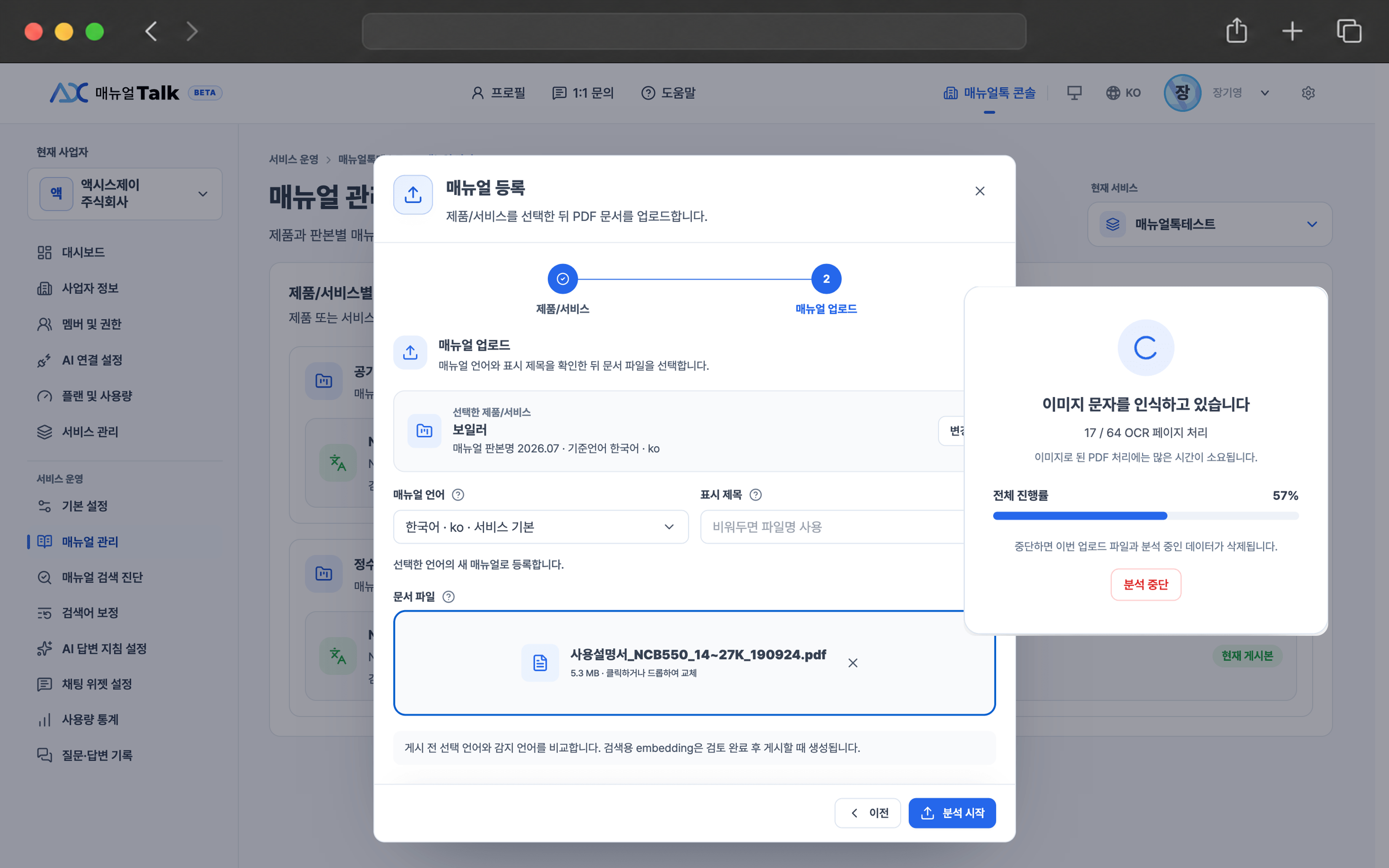
Upload a PDF to analyze its TOC and create searchable documents. DOCX support is planned.
Set response rules, tone, widget colors, and position to match your site experience.
Add the installation snippet and review completed answers and estimated charges by service.
Add the allowed site origin and paste the snippet to open your branded widget on the customer site.
Every plan includes manual search, AI answers, and widget installation. Answer quotas reset monthly, while service and manual limits apply across the business.
AI model usage is billed directly by the provider you connect. Plus is available as an online subscription; Pro is offered through a separate quote and contract.
A free plan for starting ManualTalk and exploring the core features
A practical hosted plan for growing services
A custom contract plan for mid-sized and large organizations